 ·
21 minute read
·
21 minute read
Summary
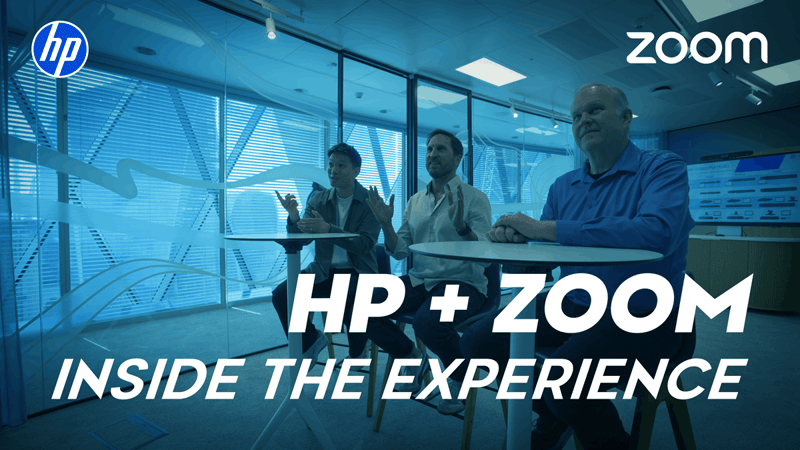
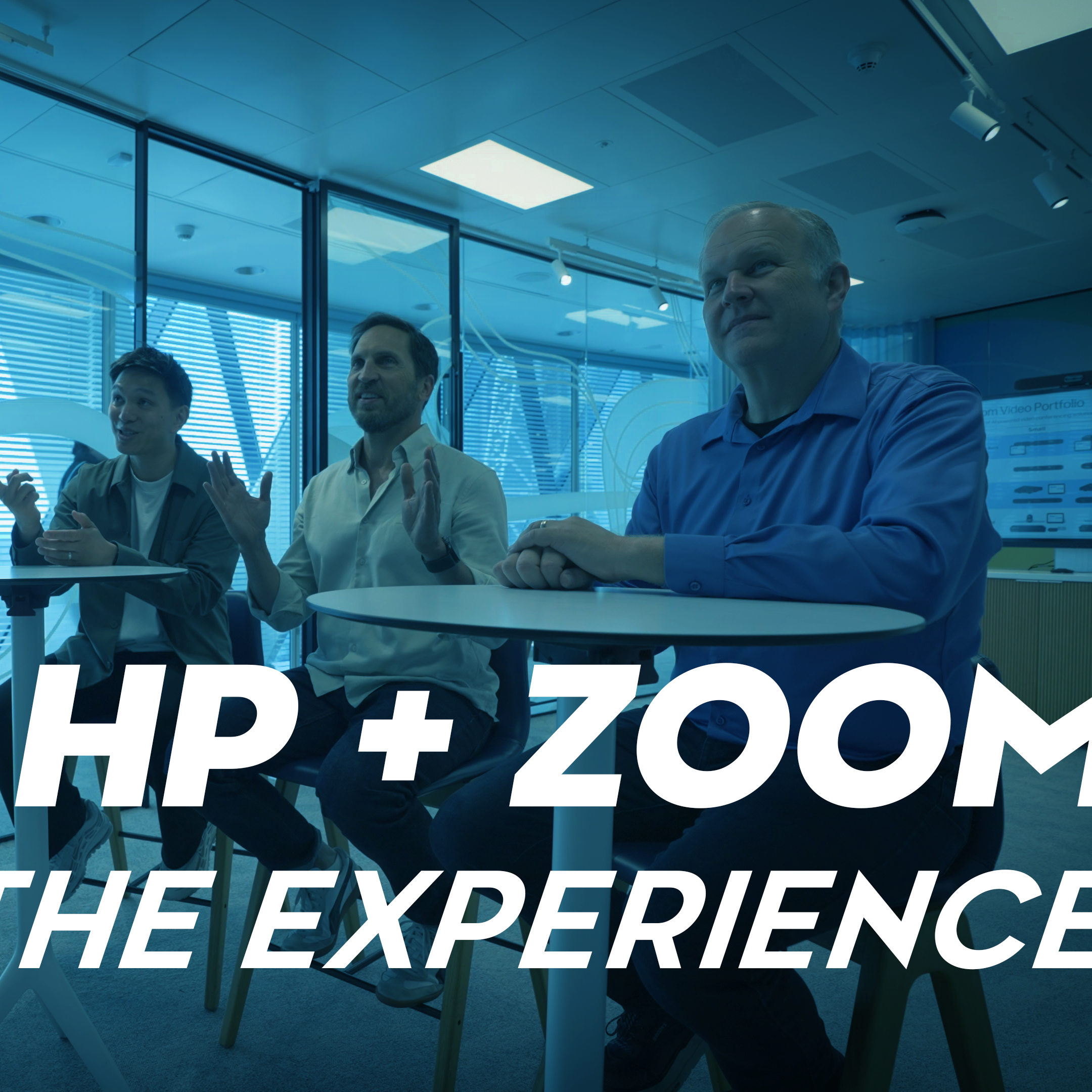
On this episode of Xperience Center Tour, the Collab Collective’s Craig Durr visits Zoom’s EMEA Experience Center and HP’s Customer Welcome Center in London to explore how the two companies work together to move workplace conversations from start to completion. Craig speaks with Frankie Vu, Experience Center Evangelist at Zoom, and Brian Phillips, Director of Product Marketing at HP, about AI-powered collaboration, device experiences, workspace management, and immersive meeting technologies.
Their Discussion Covers:
- Conversation to Completion: How Zoom Workplace brings conversations, context, AI, and finished assets together across the workday
- Better Together: How Zoom and HP combine software and co-engineered devices to deliver consistent collaboration experiences across different workspaces
- Microsoft Ecosystem Integration: How Zoom works alongside Microsoft Teams, Calendar, Mailbox, and OneDrive while maintaining a consistent user experience
- Personal Workstyles: How HP’s range of Zoom-certified Poly devices supports different personas, from commuters and remote workers to office collaborators and road warriors
- Meeting Rooms at Scale: How Zoom Rooms and HP devices deliver consistent audio, video, AI, and collaboration experiences across small, medium, large, and specialized meeting spaces
- Immersive Collaboration: ow HP Dimension with Google Beam for Zoom brings 3D video communication into the broader Zoom experience while supporting other meeting platforms
- Workspace Management: How Zoom’s workspace reservation and management capabilities help organizations optimize rooms, desks, real estate, and IT resources
Listen to the Audio:
Or tune in on your preferred streaming platform:


Transcript
Craig Durr: Hey, everybody! I am Craig Durr, Chief Analyst and Founder of the Collab Collective. Welcome to the Xperience Center Tour. In this video series, we're going to take you to some of the most cutting-edge customer experience and briefing centers from the top technology vendors in the world.
From my point of view, I want to share with you spaces that inspire me and hopefully inspire you as you figure out the way that you're going to work moving into the future, from leading conferencing technology, to control, to how people share content in the workspace. What takes place here is going to help shape the way that you work in the future. So come with me, explore with me, and see through my eyes these incredible spaces as we talk through what this experience looks like in the future.
Work these days is a series of conversations, right? Some of these may take place in meeting rooms, some of these may take place in hallway conversations, it might be a conversation that takes place on the train. More and more these days, it might even be with an AI agent. Here's the challenge: a lot of that great information gets lost at the moment. The challenge for organizations is to take this information and move it forward in terms of context of the day.
Craig Durr: Hey everyone, this is Craig Durr, Chief Analyst and Founder of the Collab Collective, and I find myself in London, England. Why? Because I need to talk to two companies that can help solve this problem for us. Now, who is that? That is Zoom, who's taking the conversation part and actually making that into a more holistic solution, and their partner, HP. They're building the devices for those personal and group experiences, from the desktop to the small room and even the large room. All this is helping to bring that conversation to completion together in a very powerful partnership.
Join me as I go through this process right now. We're going to walk through a complete day from the very beginning, first thing in the morning, to what takes place in the most immersive experience. This is powered by Zoom and HP. Let's go in and meet them.
Frankie Vu: Craig, good to see you.
Craig Durr: Hey, this space is incredible. Thank you for hosting me here in London. Now, we are in the Zoom Experience Center, right?
Frankie Vu: That's right.
Craig Durr: Tell me all about this space.
Frankie Vu: This is one of our centers as part of our Executive Experience Program. So we have our flagship HQ in San Jose, and we have our EMEA flagship in London, which is where we are now.
Craig Durr: And this is the chance for you to walk customers through the whole solution scenarios that you can provide at Zoom. Now, here's a problem, and maybe you can help me figure this out. I've been talking to the audience about this, and there's a common problem that we're seeing both in our office and probably in their offices as well too, which is these disparate pockets of information. You know, we go through the day, and sometimes this information doesn't move to a point in time that we can use it in a productive way, but you have a solution for that.
Frankie Vu: We do indeed. Yeah, this is a notion that we call conversation to completion.
Craig Durr: Conversation to completion. I don't know what that means. Would you walk me and the audience through that?
Frankie Vu: Absolutely, I'd love to. All right, come with me, and I'll tell you more about it.
So everything that moves work forward starts with a conversation, and these conversations can happen in many different places. It could be a phone call, it could be an email chain, it could be a chat message or a chat thread. It could even, more often, be a conversation with your AI assistant or with a customer. But what we found historically is that a lot of these conversations tend to end up in disparate locations, living across many different systems, different applications, and platforms. And what we really need is a platform that enables us to bring all of these together to allow us to get to our finished end product. That's where conversation to completion comes in.
Zoom Workplace is an AI-first system of action that drives us from conversation to completion by taking your unified context layer and giving you the tools to create finished assets, whatever those might look like. So it could be a presentation, it could be a document, it could be a report. But all of these conversations end up being completed assets, and we give you the tools to get there with the fewest steps in between. Now, when we have that, our partnership with HP becomes really, really important because we need to be able to capture those conversations in the most effective way possible, and that's why we're here.
Craig Durr: That is a really compelling story. I'm really excited about this. Tell you what, notebook at hand, I am ready to learn. I am your student.
Frankie Vu: I don't think you're going to need this.
Craig Durr: But why not?
Frankie Vu: Just trust me on this. We're using Zoom today.
Craig Durr: Zoom's got it covered.
Frankie Vu: Absolutely
Craig Durr: All right. I'll trust you on this one. You mentioned the devices, HP. I need to learn more about this to get this story really rolling. Who do I talk to about that?
Frankie Vu: Well, there's someone I want you to meet. His name's Brian. He's waiting for you at the HP Customer Welcome Center.
Craig Durr: Okay. I'll be there, and I'll come back in a moment. Thanks.
Frankie Vu: See you in a sec.
Craig Durr: Oh wow! Look at this space. This is incredible.
Brian Phillips
Brian Phillips: Craig
Craig Durr: Hey, it is great to see you. I can't believe that I have a chance to visit this space. This is the Customer Welcome Center. This is one of HP's premier customer locations, right?
Brian Phillips: It's one of our flagship spots where we like to bring folks in to see the HP eXperience and how it helps them get the most out of their workday.
Craig Durr: You know, that's a great segue because I just got finished talking to Frankie with Zoom, and he was telling me about this really great story, what they call from conversation to completion, and it really helps you think through the workday. But there's really an important part that HP plays in that, and I would love for you to share with the audience so that we can understand how these two companies work well together.
Brian Phillips: Absolutely, because as you're using Zoom throughout your workday, it's the HP devices that are helping you get the most out of that Zoom experience. So let's talk about the range.
HP has the broadest range of Zoom certified devices on the market. This means whether you're starting at home, you're on the road, you're at your desk in the office, you're in a group space in any size meeting room, even into emerging 3D immersive spaces, we've got that broadest range of certified devices.
Now, a lot of vendors claim to have devices that can work with Zoom, but that just means somebody ran an interoperability test. HP and Zoom have solutions that are co-engineered to work together, so they're designed to get the most out of each part of the experience. This means for users, it's clarity and consistency across every workspace. For IT, it means consistency of manageability and provisioning and insights across your entire estate. And then ultimately, as we peel back some of these layers, I think we're going to end up somewhere that might take you by surprise.
Craig Durr: All right, Brian. Devices like this, I'm really looking forward to learning more about. But before we dive into that and the solutions, I have a question I want to talk to you and Frankie about, and he's got this perfect space for us to explore it. Why don't you come with me?
All right, gentlemen. I need to pull you into a conversation that I have frequently when I talk to customers out in the field, and that is “How do I use this in a Microsoft ecosystem?” You know, it might not be just an IT decision. It might be customers or partners that are asking me to meet on a Microsoft Teams platform, share a Microsoft file. How do you deal with this objection?
Frankie Vu: So, from a Zoom perspective, I don't feel like this is an objection. I feel like it's more of an invitation, so it's not either or. It's better together, and I'll give you an example of that. We're in a Zoom environment right now, using Zoom Workplace, but running behind this is the seamless integration with a Microsoft Tech Stack. So we have a Microsoft Calendar and into a Microsoft Mailbox as well. So when these conversations are happening, they're all running off a Microsoft backend.
Craig Durr: Now, what about file sharing? We talked about OneDrive. Is there an interop with OneDrive?
Frankie Vu: There absolutely is. Now, if we look over at the right-hand side here, within the Zoom AI side panel, we're using a OneDrive connector, so it's so easy to read and write back and forth from this platform without having to leave the window.
Craig Durr: This is fantastic, and this is optimized for that Zoom user who works in the Zoom experience, but what happens if I happen to be a Microsoft Teams user, and that's the interface that I go in daily?
Frankie Vu: Craig, I'm really glad you asked. So, if we look at this window over here, we have the Teams environment open. We've got the same calendar that we were showing a moment ago, except this time we also have the Zoom application as well, running within Microsoft Teams, which gives us our meetings and our phone calls all within a Teams environment, but running off a Zoom backend.
Craig Durr: So this is fantastic. If my IT chooses to standardize on Zoom phone, for example, or Zoom as a meeting platform, I can still utilize this natively within which might be my chat platform of Microsoft Teams, right?
Frankie Vu: Absolutely
Craig Durr: This is fantastic, Brian. I have a question, though. From the HP point of view, does this matter? Does this make this complex for the devices to work in this scenario?
Brian Phillips: No. In fact, we make it easy for users, right? So when you've got your call or your meeting, just invite the room to that meeting, and on the calendar, it will sort out what type of call it is, right? So you just walk in the room as the user, you hit the join button, and you're going to get the same HP audio and video innovations and experiences, no matter what type of call it is.
Craig Durr: All right, you guys are selling me on this. I really like this Better Together story. But let's do what I talk to the audience about. Let's go from the full day. Take me from my my cup of coffee in the morning all the way through the end of the day. We'll see what that looks like.
Frankie Vu: With pleasure
Craig Durr: Okay, Frankie.
Frankie Vu: Good morning.
Craig Durr: I'm ready to start my day. This is the first hour of my day. What should I do?
Frankie Vu: All right. Well, it looks like you're ready to go.
Craig Durr: Well, this is how I could work. I mean, what do you expect?
Frankie Vu: It's your home office, your rules, Craig. So listen, I've opened up Zoom Workplace. It's integrated with my calendar and my mailbox. In this case, Microsoft Calendar and mailbox. So I can check everything that's coming up throughout my day, and I can use Zoom AI to get me prepared, give me some notes on what my meetings are going to be talking about, and then when I'm ready, if I want to get on the move, I can transfer from my desktop seamlessly onto my mobile.
Craig Durr: So the mobile experience provides a consistency from desktop to here, right?
Frankie Vu: Exactly, and the best part of this is that if I'm having a conversation while I'm on the move, my notes have got me covered.
Craig Durr: So this is where my notes start off at the beginning of the day. I love it. Great signal. All right, so we have consistency of experience from what I might see to my other colleagues, from desktop to mobile. But Brian, this is where the story becomes very personal, and HP lends to that story. How does that work?
Brian Phillips: Yeah, in order to get the most out of your Zoom calls, you want to be sure to have collaboration devices that are optimized for not only where you're working from, but your work style. So you know we've got some personas that can help walk through that. If you want to come on over here,
Craig Durr: Show me.
Brian Phillips: All right. So perhaps you're starting your day after you lose the robe on your commute. So you might be getting on the train and using your Poly Free 60 earbuds in order to get great quality calls, even in noisy commuting type of environments. But then, of course, as we dive deeper, we get into all sorts of different types of personas for the ways that people work and the locations they're working at. So there's a couple that are more office oriented. We've got our office independent. This is someone who's primarily at their desk, so a great quality wired headset they can wear all day long. Perhaps, particularly, if you're a contact center worker, right? You're on calls all day long.
Craig Durr: Sure, okay.
Brian Phillips: Or you might be an office collaborator. This is someone who's more of a knowledge worker who sometimes is mobile throughout the office.
Craig Durr: Perfect, and this is where something like the new Focus 6 fits in.
Brian Phillips: Absolutely, because you could use this with your notebook. You could go into a meeting room, a more open space. Again, maybe using this on your commute as you're transitioning back to do a little bit of work from home.
Craig Durr: Okay, but there's others.
Brian Phillips: So in addition to your office collaborator, we also have the remote collaborator. This is someone who is primarily at home, not primarily in the office. My kind of work story sounds like it. But again, that Focus 6 headset really is ideal because again, sometimes you might be hybrid coming into the office, you might be on the road. This gives you a lot of flexibility no matter where you need to work, sure. And then, of course, you've got the road warrior, the person who's traveling all the time.
Craig Durr: These are sales teams. These are people out in the field, right?
Brian Phillips: Absolutely. So that's where the Voyager Legend 50 is going to be ideal for that kind of use case because they just don't want all the extra weight as they are on the road.
Craig Durr: I love this. This is a classic HP device, and this takes us all the way to where we're now at the point in time of heading back into the office, right?
Frankie Vu: That's right.
Craig Durr: All right, I love it. So, let's go to the office and talk about maybe a small room scenario.
Brian Phillips: That sounds great. If we're going to go in the office, you might want to change first.
Craig Durr: All right, sure. I'll change, but let's talk through small room and how Zoom and HP really cover that workplace.
Brian Phillips: Sounds good. Let's head over this way.
Craig Durr: Okay. Hey, before we walk in the room and talk about the meeting starting, actually, the meeting starts way beforehand, right? And if I remember correctly, this is what workspace reservations within the Zoom experience helps with.
Frankie Vu: Exactly, so workspace reservations allows you to manage your real estate within your office and combine your room bookings, your desk bookings, and all of your different spaces together, so that from a personal point of view, as an employee, you can go ahead and just have the great experience here. But then, from IT's point of view, you get great tracking and data, so you can optimize your spaces as well.
Craig Durr: So more of that consistency of experience as well. Why don't you show me what it looks like?
Frankie Vu: Exactly. So here we have our meeting room scheduling display. In this case, we're using a Poly TC10 Touch Controller. Firstly, I want to know whether the room is available. It very clearly is. But if I want to book this for a later time, I can do that directly from here as well. So I press the reserve button. I can then get an idea of when the room is available throughout the day, I can change all of my meeting's characteristics here, and go ahead and reserve directly from here without even having to use my own device.
Craig Durr: I love it. So, Brian, we're about to walk in and see a room experience, but where we're starting in the whole spectrum.
Brian Phillips: Yeah, so many different types of workspaces. Let's start with small rooms.
Craig Durr: Okay, let's do that. Brian, we're seeing different size spaces. We talked a little bit about small spaces. This is a kind of a variation in the small space. To me, this is a collaboration room because we have an interactive touch panel here as well, paired with the Poly Studio X52.
Brian Phillips: Yes, so many different types of small to mid-sized meeting rooms. As you said, this one is a little bit more collaborative. So, people are kind of mobile around the space. They might get up to write on the interactive whiteboard. So that's where having smart camera experiences, like our Poly DirectorAI technology, make sure that no matter where you are in that space, you're being found and framed up.
In addition, one of the challenges with a lot of modern meeting spaces is glass walls. You can end up with people who are just walking by on the outside being captured as part of your meeting. So that's where, with our Poly DirectorAI perimeter, we're making sure only the people within the defined meeting zone within your space are being captured, and not the people walking by outside.
Craig Durr: Now, there's all the video, but there's also audio enablement that's taking place. There's a ton, right?
Brian Phillips: So another challenge of glass walls is acoustics. That's where our latest version of Poly NoiseBlockAI really cuts out the reverberation to make sure everybody's voice is heard crystal clear without a lot of that reverb and echoing, or our acoustic fence technology is making sure that only the voices within our meeting zone are being captured and not the hallway conversations that are happening, which is really important to the collaboration space, right?
Craig Durr: All right, so here we are. We've got the audio and video actually enabled from the devices, and we're in the Zoom Room experience. And this is an opportunity, Frankie, for you and I to revisit this. This is where again conversation and completion takes place. This is the heart and soul of an office. What takes place in the meeting room, right? Tell me how Zoom Rooms can help enable some of this activity.
Frankie Vu: So when we talk about conversations, they can be happening in many different ways. So not just in locations, but they can be conversations that need a little bit of visual assistance. So that's where Zoom Whiteboard comes in. So when you're in a Zoom Room for touch like this, where you have an interactive board, we can use the Zoom Whiteboard to help advance that conversation. So whether or not you're in a meeting, you can open this up and then get some great assistance from Zoom AI. So, just as an example here, what I'm going to do is just press this button, and it's going to help us remove the friction from the early parts of a discussion. Here as an example, I will say, “I want some sticky notes.” Easier for me to use my fingers here, and I'm going to go ahead and hit send on that request. And now, what used to take a long time can not only be advanced using Zoom AI, but this also remains persistent, so it can be a continuous conversation that happens over a longer period of time.
Craig Durr: So this is leveraging some of the information that may already be existing. We talked about earlier in the day where I was looking within the Zoom Workplace, and I see you and I are meeting. We're going to talk about this HP eXperience, and that's leveraging it to create a starting point for us in the conversation.
Frankie Vu: Exactly, so that context can be taken from so many different places, and then used to advance this part of the conversation, which then continues over a long period of time as well. So once I've got a little bit of help from Zoom AI to create these sticky notes, I can then go ahead and start to customize these individual parts myself. If I want to move these around and build this into more of a flowchart, for example, this is something that the hardware makes it very easy for us to do. There we go, and this is something that can then build and be persistent, can be saved and shared, and becomes a real collaborative asset.
Craig Durr: Okay, all right. Make sure you do me a favor. Get out your mobile phone, the My Notes again. I want to be able to make sure we capture this so that I can take this into my summary.
Frankie Vu: Well, Craig, I don't have to use my phone here. I can actually use My Notes using the Zoom Room controller.
Craig Durr: This is the new My Notes for Zoom Room feature.
Frankie Vu: Exactly
Craig Durr: Tell me about this.
Frankie Vu: So instead of using my phone, what I can do if I'm in a Zoom room is just go up to the controller, press the My Notes button, and then start the experience there. And then our conversation will be transcribed using the hardware that's in the meeting room.
Craig Durr: This is fantastic. So this is where we have conversation to completion. Oh, but I've got one of those questions I had for both you guys before. So in this experience, we were talking about how this interacts with Microsoft Teams. Like I said, a lot of customers, a lot of partners may require me as a business to call into a Microsoft Teams experience. What does that look like?
Brian Phillips: Yeah, so it's as simple as just inviting the meeting room that's set up as a Zoom room into your Teams meeting. So we've done that here. It automatically pops up on the calendar. You hit the join button. It tells you that it's a Teams meeting so you know that going in. Once it gets connected, we're just right there as part of the Teams call. It's that simple.
Craig Durr: It's fantastic. So what we have now is all of that HP goodness around the audio and video intelligence from the devices in this experience as well.
Brian Phillips: Yes, it's consistent across all the DirectorAI, the NoiseBlockAI, Acoustic Fence. It works across all of these teams or other types of calls as well.
Craig Durr: But now, wait. What about the Zoom features we just talked about? Am I losing My Notes? Is it no longer available?
Frankie Vu: No, My Notes works across Teams as well.
Craig Durr: So all of a sudden, that same conversation and completion takes place no matter where I'm meeting, how I'm meeting, right? This is incredible, and this is just the small room experience.
Brian Phillips: This can extend across all sorts of different types of meeting spaces. Let me show you over here.
Craig Durr: Okay. Brian, this is a lot of information on one image here.
Brian Phillips: Essentially, the story here is all those experiences we just saw for the audio and video experiences, the Zoom AI and My Notes experiences, all happen across your small rooms all the way to your largest ones. Whether you want Zoom on Android as part of an all-in-one video bar, you can do USB video bars where you're bringing in your Zoom Client on a laptop and plug it in. But in a room environment, that gets even more powerful when it's matched up with one of our Windows-based room computes, so that you get that full Zoom Room experience, or even in a more modular integrated space. This is consistency of experience, so the user knows what to expect, and they get that full feature set no matter what room they're walking into.
Craig Durr: This really is one of the broadest portfolios, and I love what you're talking about. Those IT options are all available, whether I choose to be Android for my solutions, Windows-based, from small rooms to large rooms, and the fact now that the modular integrated solution can even probably address those snowflake rooms that we're talking about.
Brian Phillips: There's always those really special spaces, right?
Craig Durr: Yeah, you know, this would be something I would love to see in practice.
Brian Phillips: So let me show you this really unique room. I think you're going to love.
Craig Durr: Let's go. Wow, this is an incredible space. I love this. This is what you've called your Boardroom of the Future, but this is an incredible space. That's right. And obviously, we're walking in on one of the meetings here. How is everyone doing? So, what do we have going on here from a device point of view, Brian?
Brian Phillips: So, such a cool room, right? But really challenging from the standpoint of how do you make sure everybody is seen clearly? How do you make sure everybody is heard clearly in such a large space like this? So that's where driving this room is a super powerful HP Room Compute designed specifically for Zoom Rooms on Windows. We've got three of the Poly Studio E60 cameras that are powering what's being seen here for all of us from all these different angles. That's running this really unique experience from Zoom, which is known as Zoom Intelligent Director.
Craig Durr: So this is one of the snowflake rooms you're talking about in leveraging the modular architect that we talked about earlier. But you mentioned Intelligent Director, and Frankie, I need to ask you about this. How is this different than just maybe a single camera covering this space?
Frankie Vu: So the benefit of Intelligent Director is it uses the multi-camera setup to give everybody meeting equity. So anyone at the far end then sees everybody framed up nicely, and it allows everybody to move around and you know get a great angle, switching cameras if need be, so that we don't have to stay in the same place.
Craig Durr: I notice on the screen it's also telling the name of who's people here. What is this feature?
Frankie Vu: So that's a feature called smart name tags that combines with Intelligent Director, again improving the experience for the far end, but also meaning that we get a much richer transcript, much richer action items that have actual kind of names attached to everyone's contribution.
Craig Durr: So this goes back to our theme of conversation to completion. Brian said, “Anyone else in this room,” and it feeds into a more powerful transcript moment, right? I love this. This is fantastic. This is a beautiful room, but Brian, you were promising me a surprise, and I think it has to do with a conversation we've had over the last year. But I'm not really sure what we're talking about.
Brian Phillips: I think you're going to like this. Come check it out.
Craig Durr: Okay, let's do that. Thank you, everyone.
Well, Brian, I'm excited to see this room, but this is one that I know because you've been sharing this with me for about the last year. This is the HP Dimension for Google Beam, right? Remind the audience about this solution.
Brian Phillips: Yeah, so HP Dimension with Google Beam is a super realistic 3D video communication experience, so it truly feels like you are sitting across the same table from someone thousands of miles away in a way that's far beyond what we've been able to do previously with traditional video conferences. This is where the HP expertise is brought in: a camera experience, a lighting experience, even a display experience right now.
Craig Durr: Oh yeah, that allows for that true immersive experience, right?
Brian Phillips: Yes, it has multiple cameras built all around the bezel to capture you from all angles, and then show you on this lenticular display in a depth and dimension that just hasn't been possible before with traditional video. So it truly feels like we're really sitting across the same table from.
Craig Durr: And this is a really exciting solution. But you said there's a surprise now about this as well.
Brian Phillips: Well, so this is also available as a native Zoom experience. So think of it as HP Dimension with Google Beam for Zoom.
Craig Durr: Well, Frankie, what does this mean now? So we're talking about what in that context?
Frankie Vu: That means that the consistency of experience that we talked about all the way through follows into this experience too. So it's the same native Zoom Controller that you're used to, the same intuitive experience, the same One Touch to join across different meeting platforms, whether it's a Google Beam meeting or whether you're jumping into a Zoom meeting or even a Teams meeting.
Craig Durr: And this brings in one of those biggest concerns we had in the past. I mean, this is a high-end solution, but now we're able to get more value, more usage out of this when it's not a Google Beam call, right? So you're saying this could be used for an everyday Zoom conversation that I might be having, right?
Frankie Vu: Yeah, and of course it's going to work with your Zoom meetings, but across other platforms, too. So as well as your Google Beam meetings, it can work with Microsoft Teams as well.
Craig Durr: So the Teams objection winds up being addressed here as well. So I have a Teams call. What does that look like?
Brian Phillips: Yeah, so let's say you're in a Teams environment. What that means is you can get this solution, the Zoom version, get a few Zoom licenses in order to get that full Google Beam experience. But then you want to jump into your regular Microsoft Teams calls. So here we've invited this room to just a regular Teams call. You can see it here on the calendar. I'm just going to hit the join button. And then there it is, FireDeck Teams call. Hey guys, how are you doing? Just as easily as any other type of call, just the same way that you would from any other Zoom room. So it gives you that flexibility of getting that 3D immersive one-on-one experience, as well as all of your traditional calling types you expect to have from a Zoom room.
Craig Durr: And Frankie, this still ties into the Zoom workspace solutions we talked about, the reservation systems, the IT visibility as well.
Frankie Vu: Exactly, so alongside all your other real estate assets, this room can just be another resource that is within that. So all of your booking, all of your IT management, and then your end user experience is all going to be living within that Zoom workspace reservation system, too.
Craig Durr: Well, you guys, this is a wonderful surprise. I love this. This is a great way to get more value out of a very powerful solution. Now, it can be used across all your Zoom meetings as well. Yep, I love it. Let's go ahead and say goodbye to this crew and go ahead and wrap up for the day. We'll see you guys.
Wow, Brian, Frankie, this has been an incredible day. You have really shown me the power of this partnership, HP and Zoom, and helped me with one of those big challenges we talked about from conversation to completion. This has been fantastic. Thank you.
Brian Phillips: Thank you so much for coming. It was so great to be able to show you these joint solutions together. Absolutely, it's been great to have you.
Craig Durr: I am going to go from here, gather my notes, and I'm going to put together a fantastic report on everything I've seen.
Frankie Vu: All right. Well, I've already captured everything on my notes. I already sent you the summary.
Craig Durr: I’m a step ahead. I appreciate this. Well, this is fantastic. All right. I've got a bus to catch, a double-decker bus, as a matter of fact. Ryan, Frankie, thanks. We'll see you later.
Take care, everyone. This has been an amazing day, and I want to thank you for taking this journey with me. We had a chance to visit here in London, two world-class Experience Centers. And more importantly, we got to see how two very important companies, HP and Zoom, were solving a very interesting challenge taking place. How do you take the day from conversation to completion? I think we found our answer here the way that these two companies work together.
I'm Craig Durr with the Collab Collective, and I want to thank you for joining me on this journey.